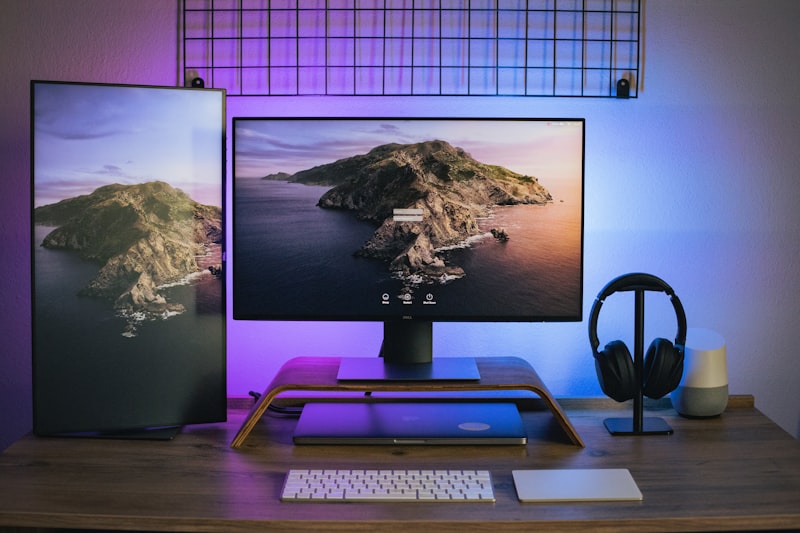
Poor posture while working is one of the most widespread health issues of the remote work era. Neck pain, back pain, headaches, and shoulder tension have become so common among desk workers that they’ve been given their own name: “tech neck” or “computer neck.” In 2026, with millions spending 6-10 hours daily at a computer, addressing posture isn’t a cosmetic concern — it’s a health imperative.
The good news is that posture improvement is entirely achievable without expensive medical treatments. This guide explains exactly what good posture looks like, why yours is probably bad right now, and gives you a practical, actionable plan to fix it — using both equipment changes and habit-based approaches.
What Good Posture Actually Looks Like
Good seated posture isn’t about sitting rigidly upright. It’s about maintaining the natural curves of your spine while requiring minimal muscle effort. Here’s what it looks like from the side:
- Head: Ears aligned over the shoulders (not jutted forward). Looking straight ahead at the monitor, not down or up.
- Neck and shoulders: Shoulders relaxed and slightly back, not rounded forward or elevated toward the ears.
- Upper back: Gentle natural curve. Not excessively rounded forward (kyphosis) or pulled too far back.
- Lower back: Natural inward curve (lordosis) maintained. This is what lumbar support in chairs is designed to preserve.
- Hips: Approximately level with or slightly above the knees. Thighs roughly parallel to the floor.
- Feet: Flat on the floor or on a footrest. Not dangling or tucked under the chair.
Why Your Posture Is Probably Bad Right Now
If you work from a laptop without an external monitor, your posture is almost certainly compromised. Here’s why: a laptop screen is too low when the keyboard is at the right height, and too close when the keyboard is comfortable. This creates an impossible ergonomic situation — you’re either straining your neck downward or your shoulders upward.
Most Common Posture Problems for Remote Workers
- Forward head posture (tech neck): Head protrudes forward from the shoulders. Every inch of forward head position adds approximately 10 lbs of effective load on the cervical spine.
- Rounded shoulders: Shoulders roll forward due to tight chest muscles and weak upper back muscles — common from typing without proper armrest support.
- Lower back slouch: The lumbar curve flattens or reverses, putting strain on spinal discs. Often caused by chairs without lumbar support or seats that are too high.
- Elevated shoulders: Caused by mouse/keyboard that’s too high, forcing the shoulders to shrug toward the ears during use.
Equipment Changes That Immediately Improve Posture
1. External Monitor at Eye Level
This single change fixes forward head posture for most laptop users. When your monitor is at the correct height (top of screen at or slightly below eye level), your head naturally returns to a balanced position over your shoulders. Use a monitor arm or laptop stand to achieve the correct height.
2. Chair with Proper Lumbar Support
Lumbar support fills the gap between the chair and your lower back, maintaining the natural inward curve. Without it, gravity and fatigue cause the lower back to slump. If your chair lacks built-in lumbar support, a lumbar cushion ($20-$40) can provide significant improvement at low cost.
3. Footrest
For shorter individuals, a footrest is often essential. When a chair is set to the correct height for the desk, the feet may not reach the floor — causing the seat edge to cut into the thighs and the whole posture to compensate. A simple $20 footrest solves this chain reaction.
4. Keyboard and Mouse Position
Your keyboard and mouse should allow your elbows to be at approximately 90 degrees with shoulders relaxed. If they’re too high, your shoulders raise. If too low, you bend forward. This is why desk height matters, and why keyboard trays are sometimes used to bring the typing surface below the desk surface level.
Exercise and Habit Changes for Better Posture
Daily Stretches for Desk Workers
- Chin tucks: Gently pull your head directly backward (not tilted), creating a “double chin.” Hold 5 seconds, repeat 10 times. Directly counteracts forward head posture.
- Chest opener: Clasp hands behind your back, squeeze shoulder blades together, and lift slightly. Opens the chest and counteracts rounded shoulders. Hold 20 seconds, repeat 3 times.
- Seated cat-cow: While seated, alternate between arching your lower back (creating lordosis) and rounding it (creating kyphosis). 10 repetitions every hour helps prevent stiffness.
- Neck rolls: Slowly roll your head from shoulder to shoulder, avoiding rolling backward. 5 repetitions each direction, done gently.
Strength Building for Posture
Long-term posture improvement requires strengthening the muscles that hold good posture, particularly the upper back (rhomboids and lower trapezius) and core. Three effective exercises that require no equipment:
- Wall angels: Stand against a wall with your back flat against it, arms raised like a “Y” shape, and slowly move your arms overhead and back down while keeping contact with the wall. 3 sets of 10 reps.
- Prone “Y” raises: Lying face down, raise arms in a “Y” shape off the ground, squeezing the upper back. 3 sets of 12 reps.
- Plank: Build core strength which is the foundation of good posture in all positions. Start with 3 sets of 20-second holds and build up.
Buying Guide: Products That Help With Posture
- Lumbar support cushion ($20-$40): Affordable immediate fix for chairs without good lumbar support.
- Monitor arm ($50-$150): Allows precise monitor height adjustment for ideal head position.
- Ergonomic chair ($150-$500+): Long-term investment with proper lumbar support and seat depth adjustment.
- Standing desk ($200-$800+): Alternating between sitting and standing prevents the muscle fatigue that causes posture to deteriorate over long sessions.
- Posture corrector wearable ($20-$80): Devices like the Upright GO 2 vibrate when you slouch, providing real-time feedback to build posture awareness.
Conclusion
Improving your posture while working is a two-pronged effort: fix your environment so that good posture is the path of least resistance, and build the strength and flexibility to maintain it throughout the day. Neither alone is sufficient — a perfect chair won’t help if you lack the core strength to sit upright in it, and strong muscles won’t overcome a poorly arranged workstation.
Start today with the two highest-impact changes: raise your monitor to eye level and set your chair height correctly. Then add daily chin tucks and chest openers. In two weeks, you’ll likely notice less neck and shoulder tension — and in two months, your posture will have measurably improved.
Pro Tip: Set a phone alarm labeled “POSTURE CHECK” to go off every 30 minutes during your workday. When it rings, briefly scan your body: Are your shoulders relaxed? Is your head over your shoulders? Are your feet on the floor? This simple habit alone can create dramatic posture improvements within a few weeks.