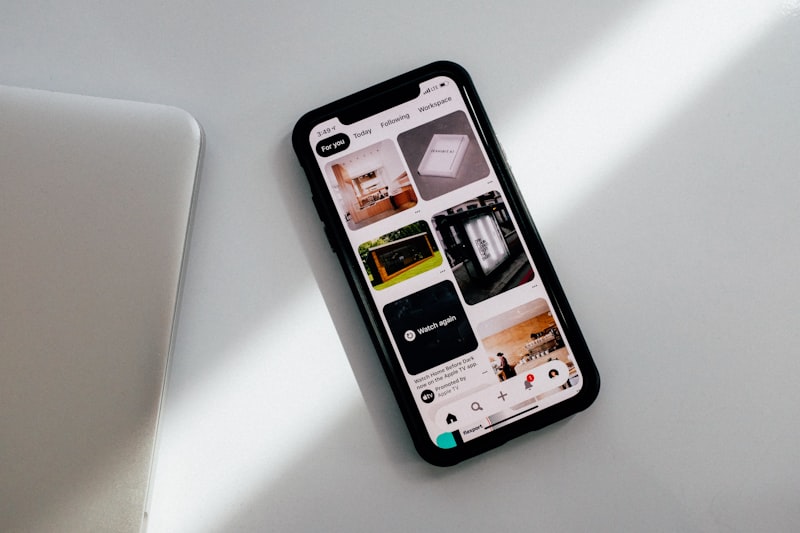
In 2026, wireless charging has become the standard for desk-based device charging. The Qi2 standard, which launched in 2023 and became mainstream through 2025, brought faster and more efficient wireless charging to the majority of modern smartphones — and the technology has only gotten better since.
A wireless charging pad on your desk eliminates cable clutter, keeps your devices always topped up without thinking about it, and creates a designated “phone zone” that helps you be more intentional about when you check your device. This guide covers the best wireless chargers for your desk in 2026, organized by use case and budget.
Understanding Wireless Charging Standards in 2026
Before diving into product recommendations, it helps to understand the current charging standards:
- Qi2: The current universal wireless charging standard, supporting up to 15W for compatible Android devices and 15W for MagSafe-compatible iPhones. Most new devices launched in 2024-2026 support Qi2.
- MagSafe: Apple’s proprietary magnetic alignment system for iPhones with MagSafe support (iPhone 12 and later). Provides precise alignment and up to 15W charging speed when using an Apple-certified charger.
- Qi (original): The original wireless standard, supporting up to 7.5W for iPhones and 10-12W for Android. All Qi2 chargers are backward compatible with Qi devices.
Top 6 Best Wireless Chargers for Desks in 2026
1. Anker 3-in-1 Cube with MagSafe (Best for Apple Users)
For those in the Apple ecosystem, the Anker 3-in-1 Cube is the ultimate desk companion. It charges your iPhone (MagSafe), Apple Watch, and AirPods simultaneously from a compact, foldable device that collapses to roughly the size of a hockey puck.
- Pros: Charges three Apple devices simultaneously, extremely compact when folded, Apple-certified MagSafe charging, travel-friendly design.
- Cons: Premium price; Apple Watch charging requires precise placement; only suited for Apple ecosystem.
- Best For: iPhone + Apple Watch + AirPods users who want a tidy single-cable charging hub.
2. Belkin BoostCharge Pro 3-in-1 (Best Premium Multi-Device)
The Belkin BoostCharge Pro is a standing wireless charger combined with spots for Apple Watch and AirPods. The MagSafe-certified puck stands your iPhone upright in “StandBy” mode (introduced in iOS 17), allowing you to use your phone as a bedside or desk display while charging.
- Pros: Enables iPhone StandBy mode, charges Watch and AirPods simultaneously, attractive design, Apple-certified.
- Cons: Expensive; relatively large desk footprint; Android devices charge slower on the MagSafe pad.
3. Samsung 15W Wireless Charger Pad (Best for Samsung/Android Users)
Samsung Galaxy users get the best wireless charging experience from Samsung’s own chargers, which support their proprietary fast wireless charging protocols at up to 15W. The slim, simple pad design works well on any desk without taking up too much space.
- Pros: Maximum charging speed for Samsung devices, slim and unobtrusive design, works with all Qi devices, affordable.
- Cons: No magnetic alignment; phone must be positioned precisely; limited to 5W for non-Samsung phones.
4. Anker 15W Wireless Charging Pad (Best Budget Overall)
For those who want reliable, no-frills wireless charging at an accessible price, Anker’s 15W Qi2 pad is the clear winner. Anker’s reputation for reliability and their 18-month warranty make this a safe choice even at the budget end of the market.
- Pros: Very affordable, Qi2 support for modern devices, case-compatible for cases up to 5mm thick, LED indicator is subtle and non-distracting.
- Cons: Single-device charging only; no magnetic alignment; basic design.
5. ESR HaloLock 3-in-1 Stand (Best Value Multi-Device)
ESR has become known for offering MagSafe-compatible products at significantly lower prices than Apple and Belkin. Their HaloLock 3-in-1 Stand charges iPhone, Apple Watch, and AirPods at a mid-range price point that’s much easier to justify.
- Pros: Strong magnets for secure iPhone attachment, enables StandBy mode, charges all three Apple devices, much cheaper than Belkin equivalent.
- Cons: Not Apple-certified (third-party MagSafe); Apple Watch charging is slower than first-party.
6. Twelve South HiRise 3 (Best Premium Desktop Aesthetic)
For those who value aesthetics as much as function, the Twelve South HiRise 3 is a beautiful aluminum and fabric wireless charging stand that looks at home on even the most carefully designed desk. It charges iPhone, Apple Watch, and AirPods in a sleek, premium package.
- Pros: Premium materials and build quality, beautiful design that enhances desk aesthetics, MagSafe certified.
- Cons: Very expensive; no functional advantages over cheaper alternatives; mainly an aesthetic choice.
Wireless Charger Buying Guide
1. Check Your Phone’s Maximum Wireless Speed
Not all phones charge at the same wireless speed. iPhones max out at 15W with MagSafe, older Android phones may cap at 10W, and premium 2026 Android flagships can support 15W Qi2. Buying a charger faster than your phone can accept is wasted money.
2. Case Compatibility
Most wireless chargers work through cases up to 3-5mm thick. However, very thick or metal cases block wireless charging entirely. If you use a wallet case with cards, remove them before wireless charging — metal cards interfere significantly.
3. Pad vs. Stand
A flat pad is simpler but requires you to lay your phone face-down or face-up. A charging stand props your phone at an angle, allowing you to see notifications and use your phone as a reference display while charging — which is much more practical for desk use.
Conclusion
Disclosure: This post contains affiliate links. If you purchase through our links, we may earn a small commission at no extra cost to you.
A wireless charging pad is one of the smallest investments with the biggest daily quality-of-life impact for a home office setup. Once your phone always lives on a charging pad at your desk, you’ll never deal with a dead battery during an important call again.For Apple users who want the best experience, the Anker 3-in-1 Cube or ESR HaloLock 3-in-1 are the smartest choices. Android users should stick with their device manufacturer’s first-party charger for maximum speeds. Either way, add it to your desk today — it’s one upgrade you’ll use every single day.
Pro Tip: Position your wireless charger in a spot where your phone is visible but slightly out of easy reach. This creates the benefit of constant charging while naturally reducing the impulse to constantly check your phone during focus time.