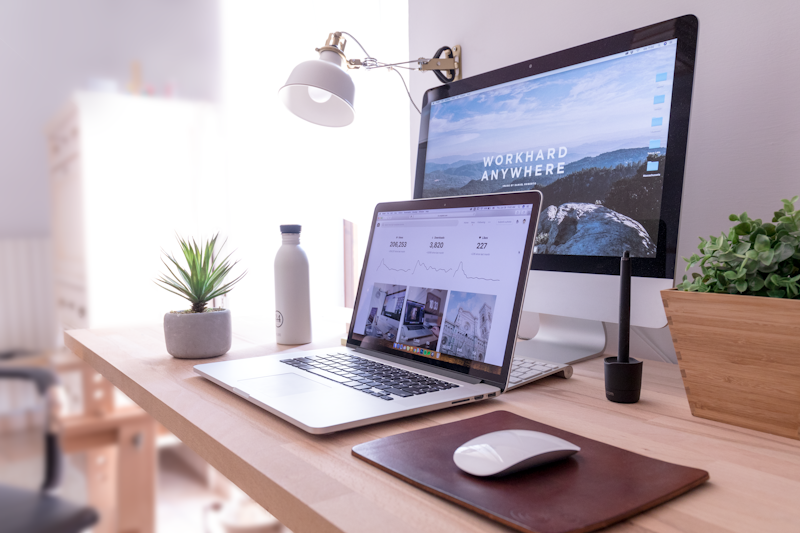
Setting up a home office in 2026 is less about buying the most expensive gear and more about modular design and smart timing. With hybrid work now a standard, the market for affordable, high-quality office gear is more competitive than ever.
Here is how to build a professional, ergonomic workspace without breaking the bank.
1. The Core: Desk and Chair
In 2026, the “warm wood” aesthetic is replacing cold, industrial setups. You don’t need a designer desk to achieve this.
- Modular & Multi-functional: Look for desks with built-in storage or “lift-top” coffee tables if you’re working in a studio apartment.
- The “Second-Hand” Strategy: High-end brands like Steelcase or Herman Miller are built to last decades. Check 2026 resale platforms for “open-box” office liquidations—you can often snag a $1,000 chair for $250.
- DIY Sit-Stand: If a full electric desk is out of budget, a sit-stand converter (around $80-$120) allows you to use any existing table as an ergonomic workstation.
2. Essential Tech on a Budget
As of May 2026, major retailers like Amazon (Great Summer Sale) are offering deep discounts (up to 70%) on monitors and accessories.
- Monitor Strategy: Instead of two small monitors, look for a single 27-inch QHD (1440p) monitor. They have become the price-to-performance sweet spot in 2026. Brands like Acer, BenQ, and LG often have significant price drops during seasonal sales.
- The Peripheral “Quiet” Trend: Look for budget-friendly mechanical keyboards (like the Keychron V-series or Xiaomi) which offer better durability than cheap membrane keyboards.
- Cable Management: Don’t buy expensive kits. A pack of reusable Velcro ties and a basic under-desk tray (total cost < $20) will make a $100 desk look like a $1,000 setup.
3. Ergonomics & Wellness (The Non-Negotiables)
A budget setup isn’t “cheap” if it saves you from future physical therapy bills.
- Monitor Arms: A basic gas-spring monitor arm (approx. $30) is the best investment you can make. It clears desk space and ensures your screen is at eye level.
- Lighting: In 2026, monitor light bars have replaced traditional lamps. They reduce eye strain and take up zero desk real estate.
- Zoned Layouts: If your office is in your bedroom, use a simple rug or a different paint color to “zone” the area. This psychological boundary is free but vital for productivity.
4. The “Invisible” Savings
- Tax Deductions: If you’re a freelancer or remote worker, ensure you’re claiming your home office expenses. In 2026, many regions have updated their “flat rate” office deductions.
- Energy Efficiency: Use smart power strips to eliminate “vampire” power draw from your monitors and chargers when you’re off the clock.
Budget Breakdown: The “Pro-Start” Setup
| Item | Recommended Option | Est. Price (2026) |
| Desk | Minimalist Trestle or Second-hand | $60 – $100 |
| Chair | Refurbished Ergonomic Mesh | $150 – $200 |
| Monitor | 27″ 1440p (Sale Price) | $180 – $230 |
| Light | LED Monitor Bar | $35 – $50 |
| Misc. | Cable Ties & Mousepad | $20 |
| Total | $445 – $600 |
Pro Tip: If you’re just starting, don’t buy everything at once. Start with the chair—it’s the only part of the office that directly affects your spine. Everything else can be upgraded as you go.